How to Find Your Amazon Portfolio ID in 60 Seconds (Most Sellers Overthink This) | AMZTool
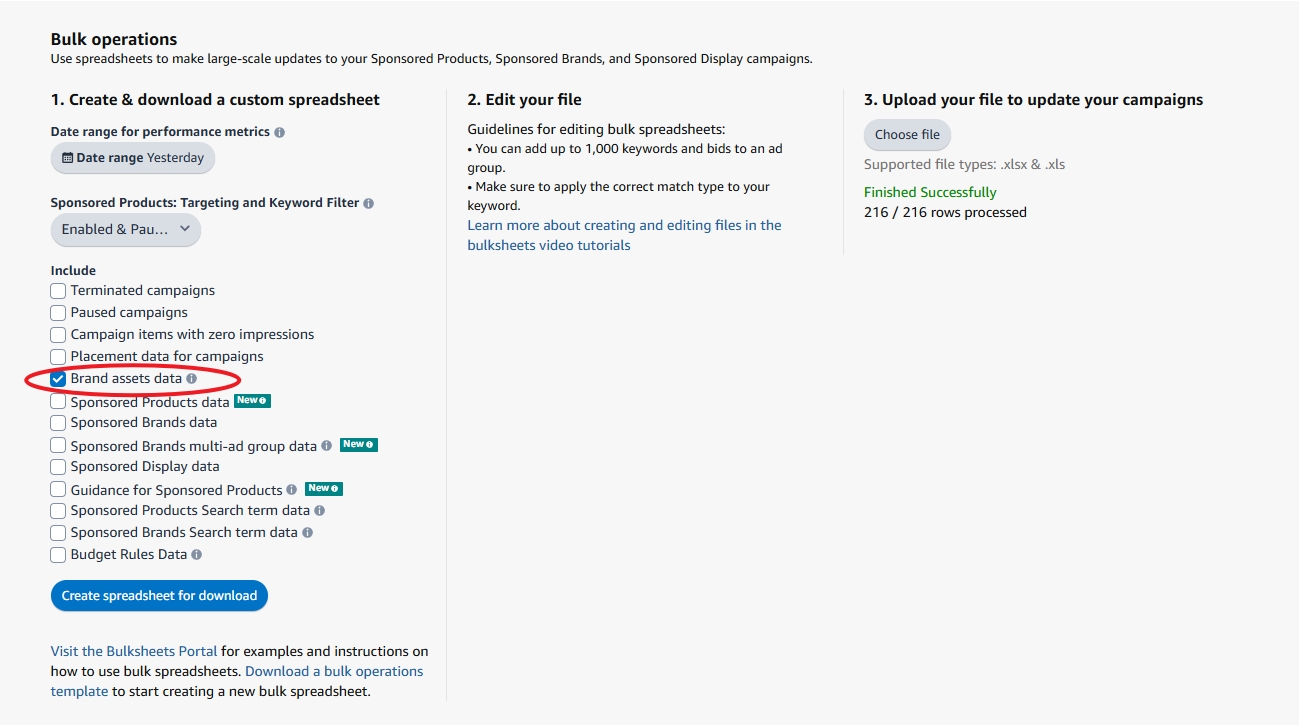
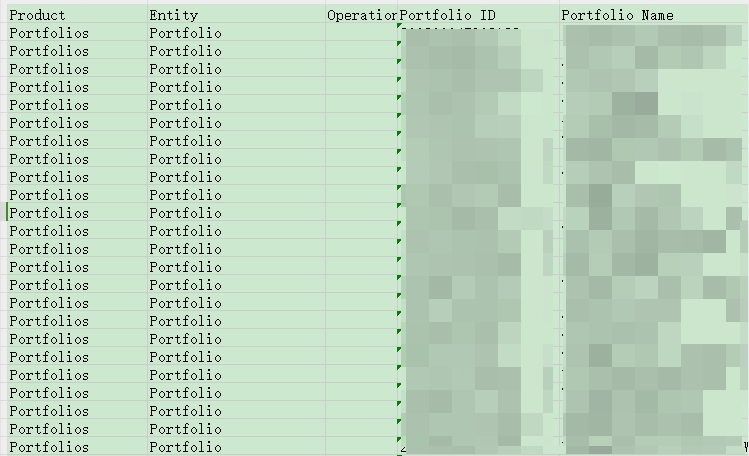
Can't find your Amazon Portfolio ID? It's hidden in Bulk Operations, not Campaign Manager. Two clicks, 60 seconds. Here's exactly where to look.
What is AMZTool?
Instead of creating Amazon ad campaigns one by one in Seller Central, AMZTool lets you build campaigns visually — keywords, ASIN targeting, auto targeting — and export Amazon-ready files in minutes. Works for 5 products or 500. No API needed.
Features
- Visual campaign builder for Sponsored Products
- Keyword targeting with exact, phrase, and broad match types
- ASIN targeting (product targeting) for competitor and complementary products
- Auto targeting with per-group bid control (close match, loose match, substitutes, complements)
- Negative keywords and negative ASINs
- Dictionary feature — save and reuse SKUs, portfolios, keyword groups
- History — auto-save every generation, restore and re-edit anytime
- Generates Amazon's official 30-column bulk sheet format
Pricing
- Free: 25 campaigns/rolling 30 days — no credit card required
- Basic ($9.90/mo): 150 campaigns/rolling 30 days
- Pro ($19.90/mo): Unlimited campaigns
Why AMZTool?
AMZTool is purpose-built for one thing: generating Amazon SP bulk sheets fast. It's not a full-suite tool like Helium 10 or Jungle Scout. It's a focused, lightweight tool for sellers who know what campaigns they want and just need the files done without Excel formatting headaches.
Works with all Amazon marketplaces worldwide (US, UK, DE, JP, CA, AU, and more).